

How to host your own Private Poker Table
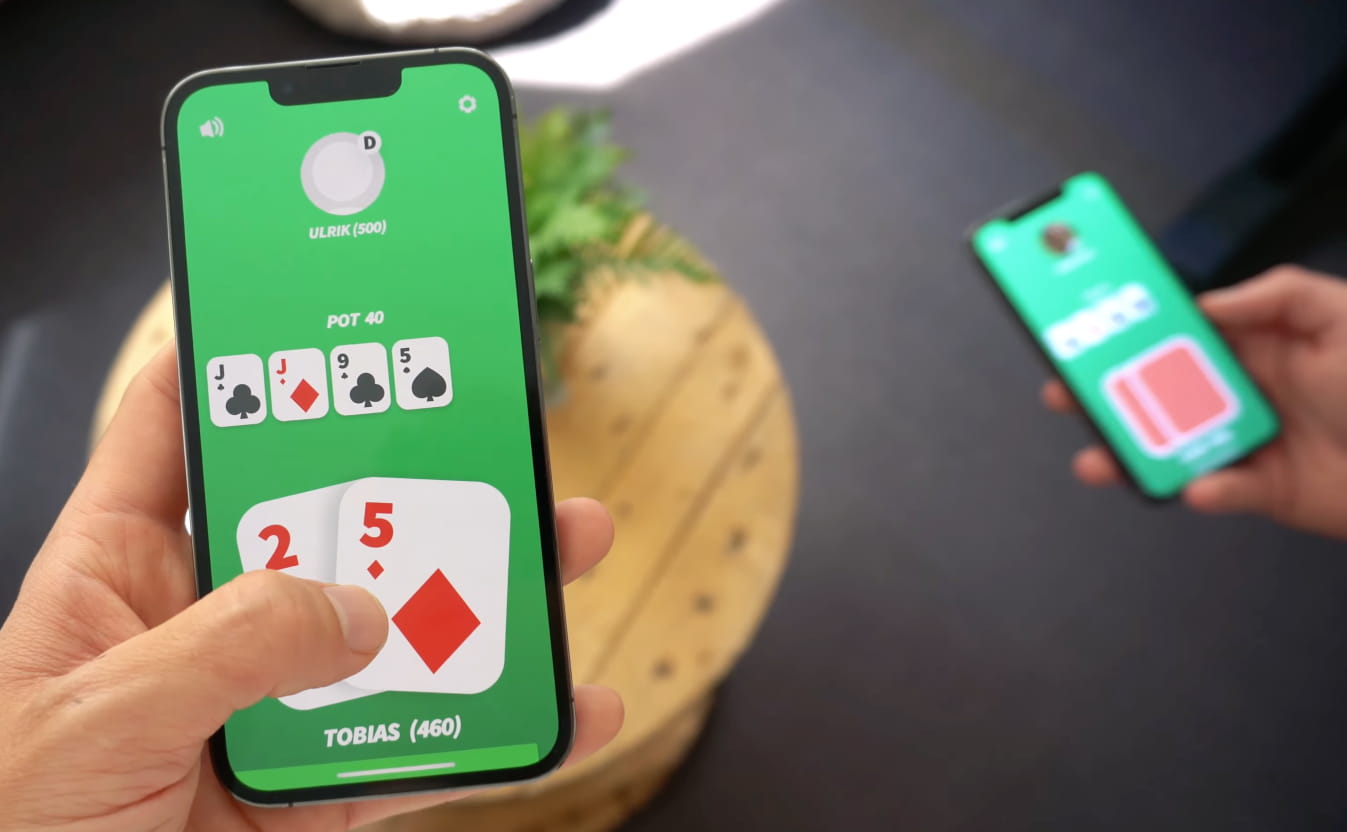
EasyPoker is a private table poker app that connects you with friends and family. You only need your phone to get going. Setting up a private table is so simple that even your grandparents will know how to do it.
See our video on how simple it is to get started with your digital poker home game.
Create your Private Table Now
The EasyPoker app gives you and your friends unlimited private poker games.
Yes, unlimited – have fun!
Private Table Poker App
Looking for an app to play on private tables? Then look no further. The EasyPoker app lets you create a private poker table to play with your friends. Simple, fast, and free.
What’s more exciting than playing poker? Not much, right? Especially when it’s played face to face with your best friends. The nervous look in their eyes when you raise the pot. The tells. The drama. It’s priceless. But poker has a huge problem – it’s not really something you can play spontaneously. Sure, you can launch a game of poker against random people from Russia, Brazil, and Azerbaijan (wherever that is). But it’s never the same as facing your opponent face to face.
Private table poker – made easy
Normally there’s no easy way to play a game of poker with your friends. You’ll have to find a poker set, a table, and arrange a whole night for the boys. And that’s fine if you have the time and don’t want to play poker right away. But what about when you’re out traveling, sitting around the campfire, at the beach, or in the bar? Poker is just not suitable for those situations.
That’s why we created EasyPoker. We needed an app that fast and easily allowed us to create a private poker table on the go. So we decided to build it. If you want to gather a bigger group, it doubles as a multiplayer poker app too.

Create Private Table
The private table poker app you’ve been waiting for. Create a game as easy as pushing a button. No need for chips, cards or a physical table. You just need your best friends.
Share Game Pin with Friends
Share the 4-digit game PIN with your friends out loud. They’ll just have to enter the code and then you’re ready. Tap on their faces to arrange the order. It’s simple.
Play Private Table Poker
Now you’re ready. Just press “launch game” and your private game of poker is live. All for free!
A Digital Poker Set for your Pocket
We want EasyPoker to be the perfect substitute for the traditional poker set. This means you’ll get the same experience as traditional live poker and the convenience of digital poker.
EasyPoker is not just a normal poker app that allows you to create a private table. It’s so much more.
The app is designed to mimic the face to face poker experience. This means one hand gameplay, no table simulation, semi-automatic dealer, card peeking and much more. You can play Texas Hold’em, Omaha, Short Deck (6+) and Reverse Hold’em on both iPhone and Android. Texas Hold’em is free and unlimited; Omaha, Short Deck and Reverse Hold’em are free for your first 10 games of each, after which hosting them needs EasyPoker Plus.
Check out our features for more info.
Private Table Poker App FAQ
How do I create a private poker table?
Download EasyPoker, tap to create a game, and share the game PIN with your friends. There are no chips, cards or physical table to set up – you just need your phone.
Is the private table poker app free?
Yes. EasyPoker gives you and your friends unlimited private poker games for free, on both iPhone and Android. There are no digital chips to buy.
How do friends join my private table?
Share your 4-digit game PIN out loud. Your friends enter the code in the app and they’re seated at your private table in seconds.
Do we all need to be in the same room?
No. EasyPoker is designed for live face-to-face poker, but you can also use it to play poker with friends remotely from wherever you are.
Which poker variant can I play on a private table?
EasyPoker supports Texas Hold’em, Omaha, Short Deck (6+) and Reverse Hold’em, designed to mimic the face-to-face experience with one-hand gameplay and card peeking.